
Data Deletion
The Japanese page is the current official version. This page is an English guide, not a legal translation.
Data Deletion
Ranking data can be deleted in the app: Settings → Ranking → Delete Ranking Data. Stopping participation alone does not delete data. Workout records on your device are not deleted by this action.
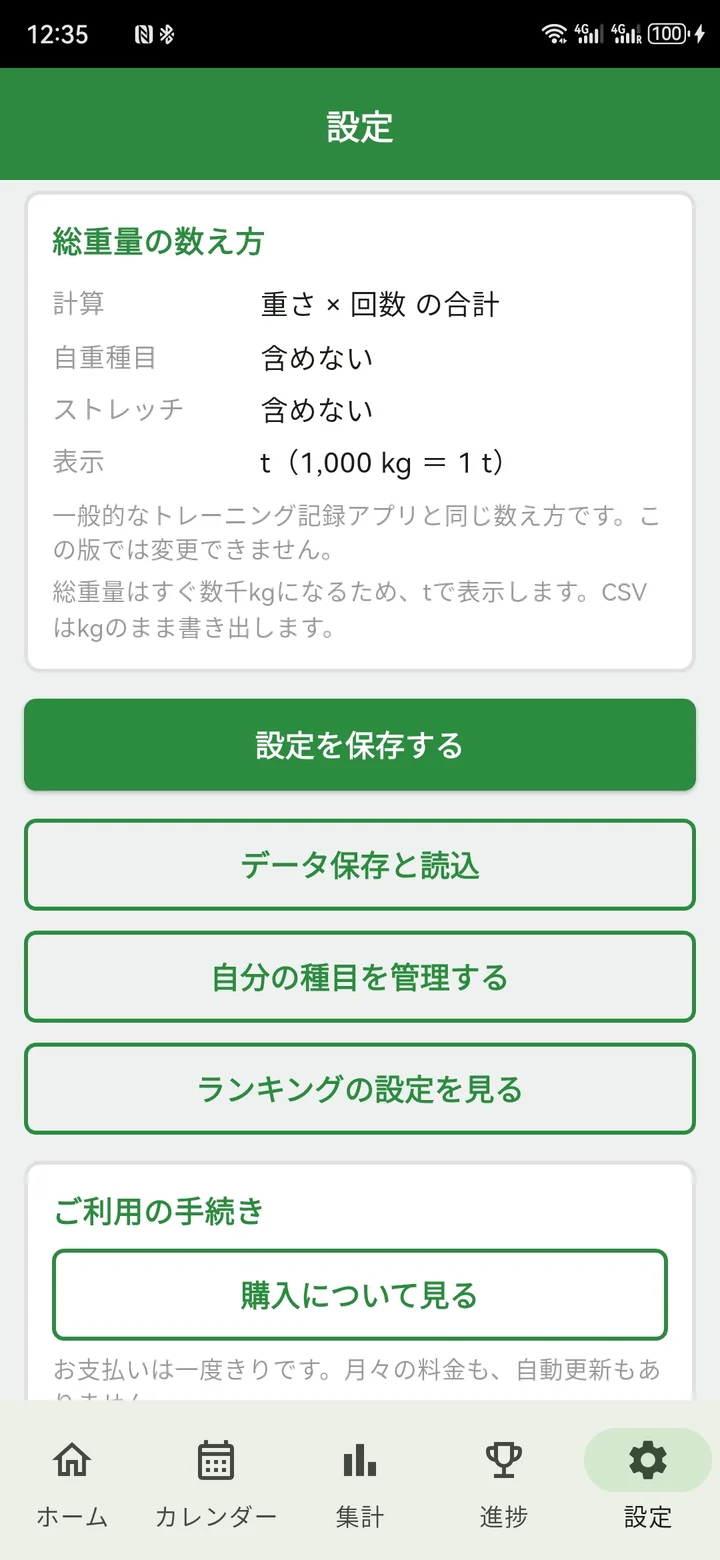
Open Settings
Choose Settings, then open Ranking settings.
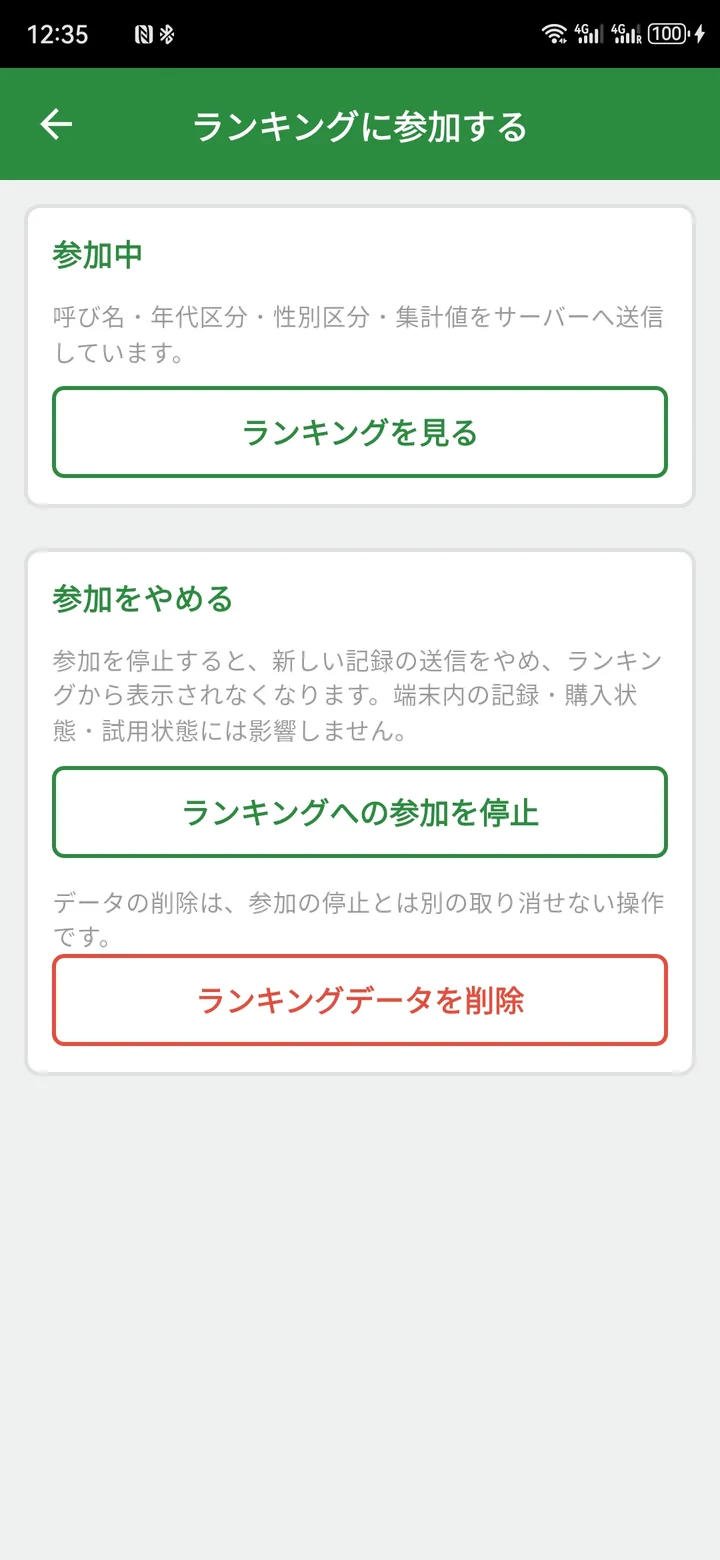
Choose Delete
Tap Delete Ranking Data. Stopping participation is a separate action.
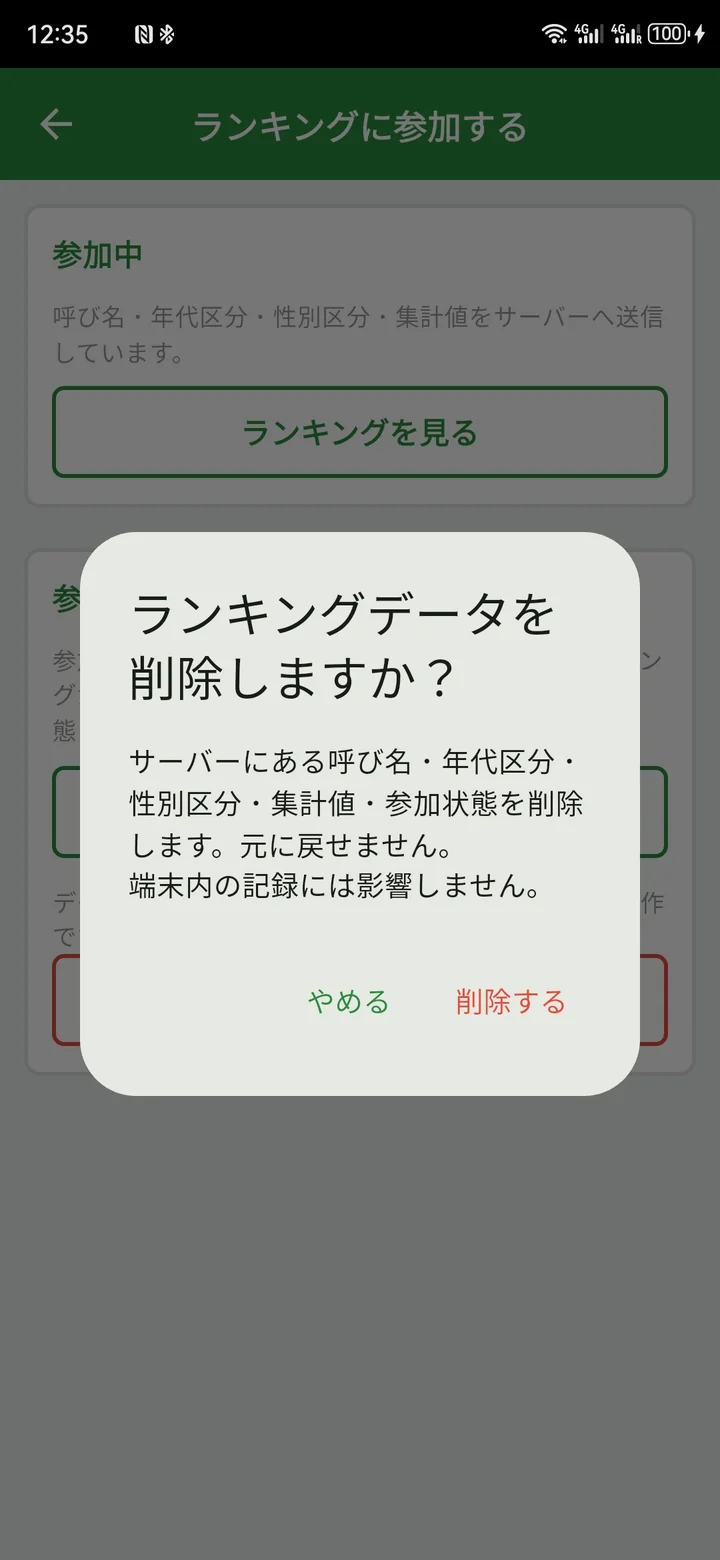
Confirm
Read the confirmation and tap Delete. Deleted ranking data cannot be restored.
Delete server-side AI data and AI feedback stored on this device from Settings → Delete AI Data. AI request and response data are retained for up to 30 days. If you have removed the app, contact information@ninepi.com. Crashlytics data is automatically deleted after 90 days.