
Build today’s menu
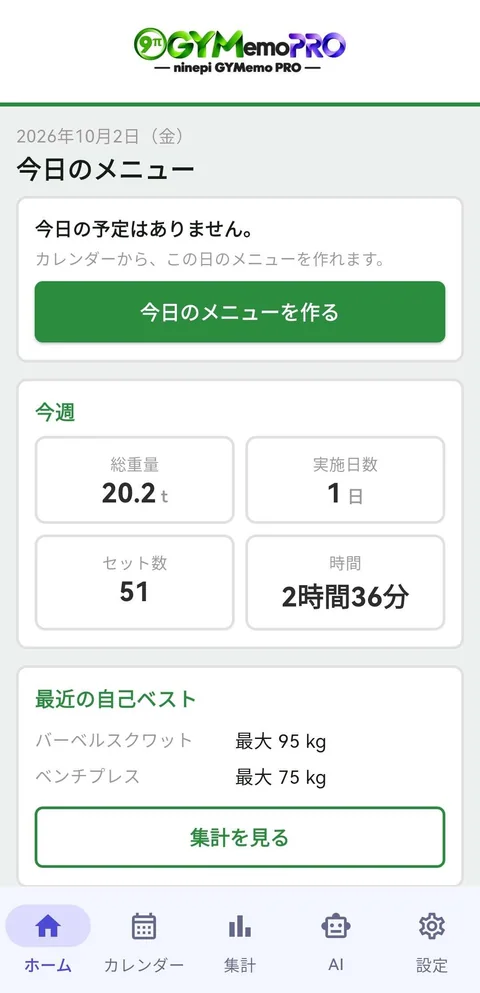
Start from “Create today’s menu” on Home.
HOW TO USE GYMEMO
Build a menu, choose exercises and enter weights and reps. GYMemo helps you log gym workouts quickly.


No account required. Start right away in three simple steps.
Start from “Create today’s menu” on Home.
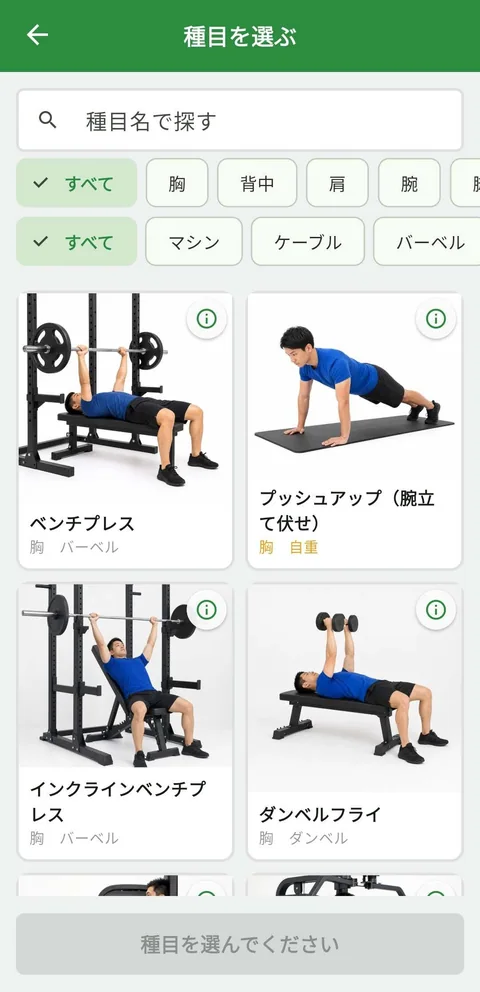
Filter by body part and equipment, or search by name. For example, Chest × Machines takes two taps.
Mark a set complete ✓ to start the rest timer automatically.
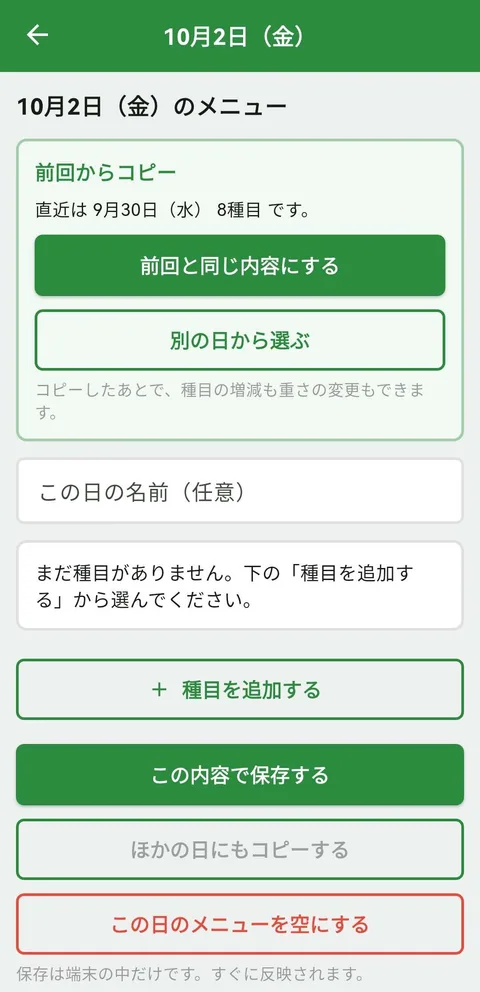 From your second session, copy the previous workout in one tap.
RECORD
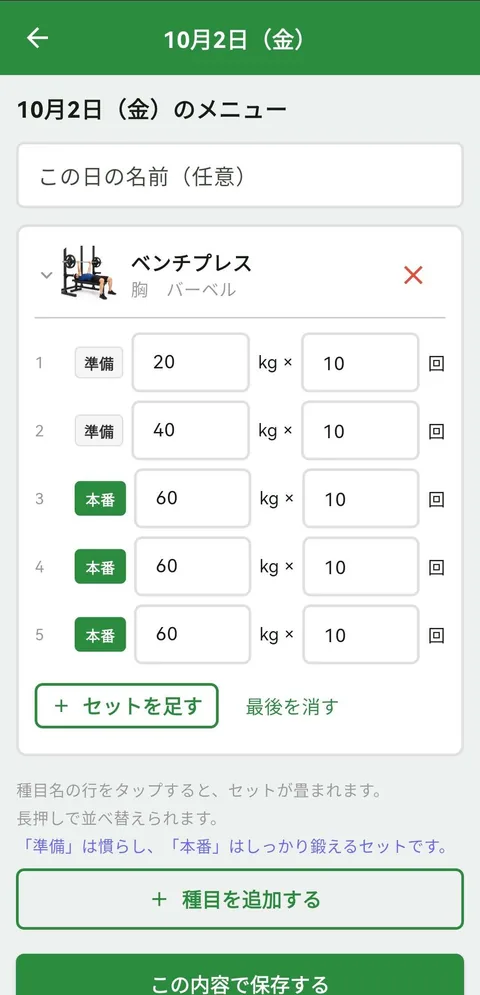
Enter weight and reps for each set, then mark completed sets with a check. If you missed a workout day, choose the date and add it later.
From your second workout onward, copy the previous menu in one tap. You can also rearrange exercises freely.
REST TIMER
Choose a rest duration, such as 60, 90 or 180 seconds. Checking off a completed set starts the countdown automatically.
Sound and vibration when time is up.
Choose from five sounds in Settings → Rest timer sound.
You can mute the sound. Notifications also alert you when the screen is off (notification permission required). Android battery-saving settings may delay notifications.
No account required. Basic workout logging is free.